Run Reports
Reports and report chains on the action list for a Payroll Management Dashboard can be launched directly from the Payrun Dashboard Details page in Express. To enable running reports from the dashboard, users must have the role privilege RUN REPORTS in FE600.
Security can additionally be controlled for each report/report chain via the Assigned to Role field in FG381 - Payroll Dashboard Configuration. If it is blank, then all users with access to run reports will be able to run it but it can be restricted to a group of users by assigning the action to a role.
Please note: only reports that do not have an additional parameter screen can be included in report chains launched via Express.
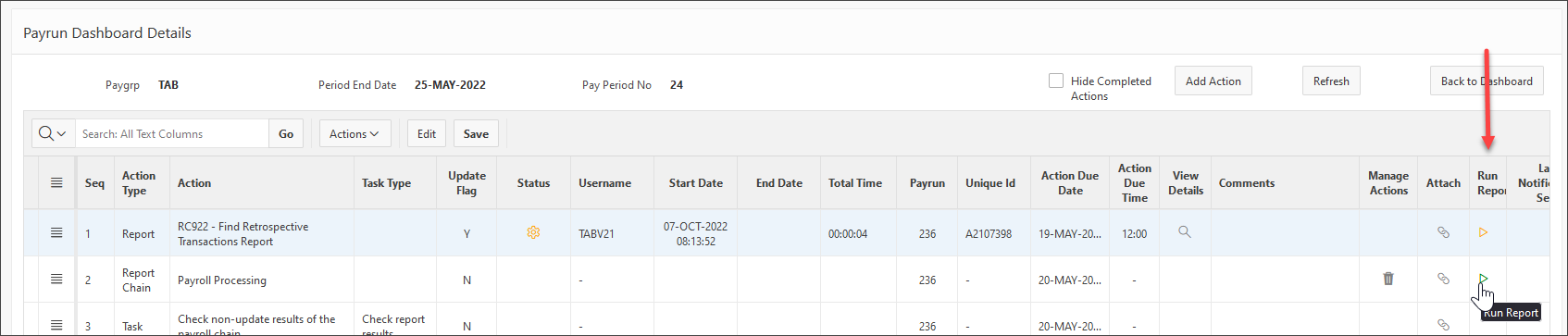
To launch reports and report chains directly from the Payrun Dashboard Details page click on the arrow for the selected report/chain under the Run Report column. (This column will only display for users assigned to roles which have the RUN REPORTS privilege assigned in FE600 - Express User/Group Security.). The arrow will show as green to run the report and will show as orange if the report has already been run to allow the report to be re-run. When the report is re-run, a new line will be added to the table for the new instance of the report.
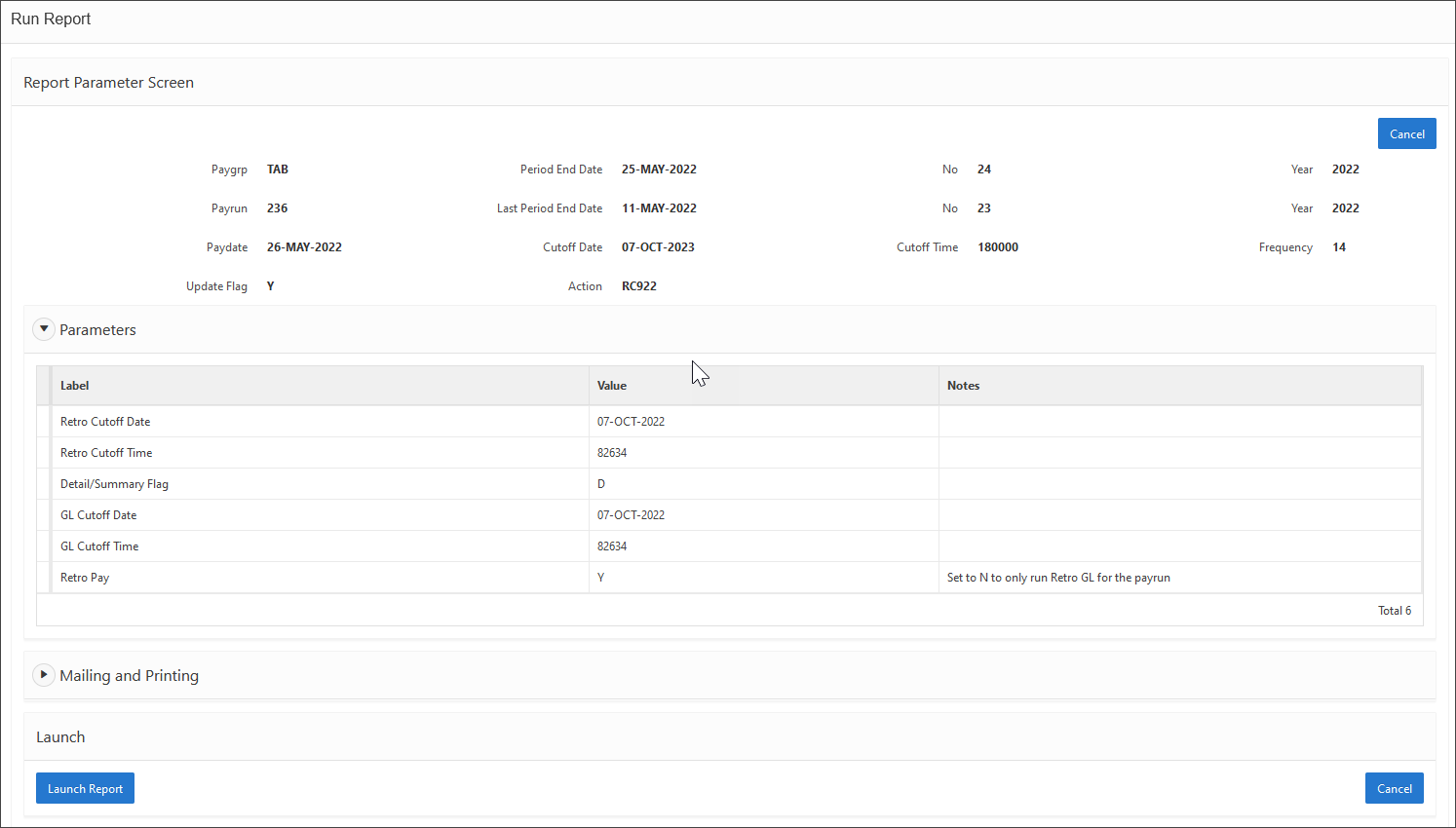
When a report is launched, the parameter screen will display which is similar to the PUI FF993 – Reports Parameter Screen for all reports and report chains. Records must exist in the PARAM_SETUP table (FF998 - Report Parameter Setup) for a report or report chain to run reports via this method.
By default, configuration has been set for the following reports and report chains.
· RC922 - Find Retrospective Transactions Report
· Payroll chain including any payroll chains that start with ‘FD634 - Payroll Processing Parameter Screen’
· Disbursement chain including any disbursement chains that start with ‘FD632 - Process Disbursements Parameter Screen’
· STP Extract (for Australian payroll only)
· RG851 - Single Touch Payroll Transfer (for Australian payroll only)
· GESB Extract (for WA Government payroll only)
· RD599NZ - Leave Pre-processor (ALA Calculation)
· NZ Payday
· RG925 - CPF Payment Flat File (Singapore only)
· Any payroll based report that uses the default parameter screen
Some parameter values will default into the report and are therefore not displayed in the parameter list. This will include parameters such as payrun, period end date, update flag etc. These parameters display across the top of the page and are picked up from the payrun and update flag settings on the action list as well as the pay group and period end date for the dashboard.
Validation such as data type, mandatory, case etc. will be applied to all parameters.
For parameters with an available list of values, double-click in the field to get the drop-down list of available values.
Note: Date parameters do not have a calendar lookup. Dates must be entered in the format DD-MON-YYYY.
Default values can be set for parameters via ‘FF998 - Report Parameter Setup’ in PUI as required.
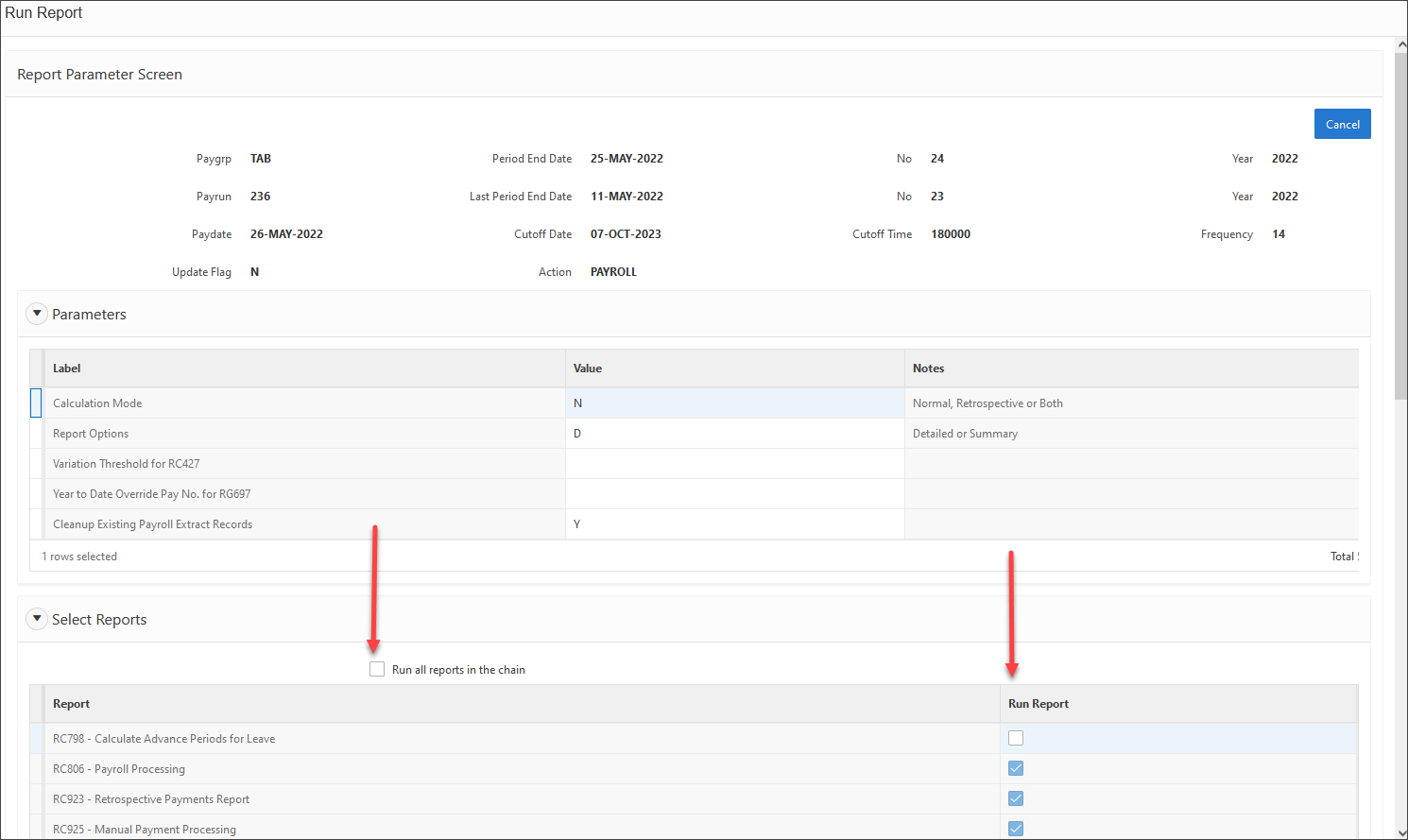
For report chains, a list of available reports will display. Mandatory reports must be included but the user can select the other reports are required. There is a select all checkbox at the top. Alternatively select reports individually by checking the box for that report in the row.
Printing and mailing is available for all reports and report chains in the bottom section of the parameter form.
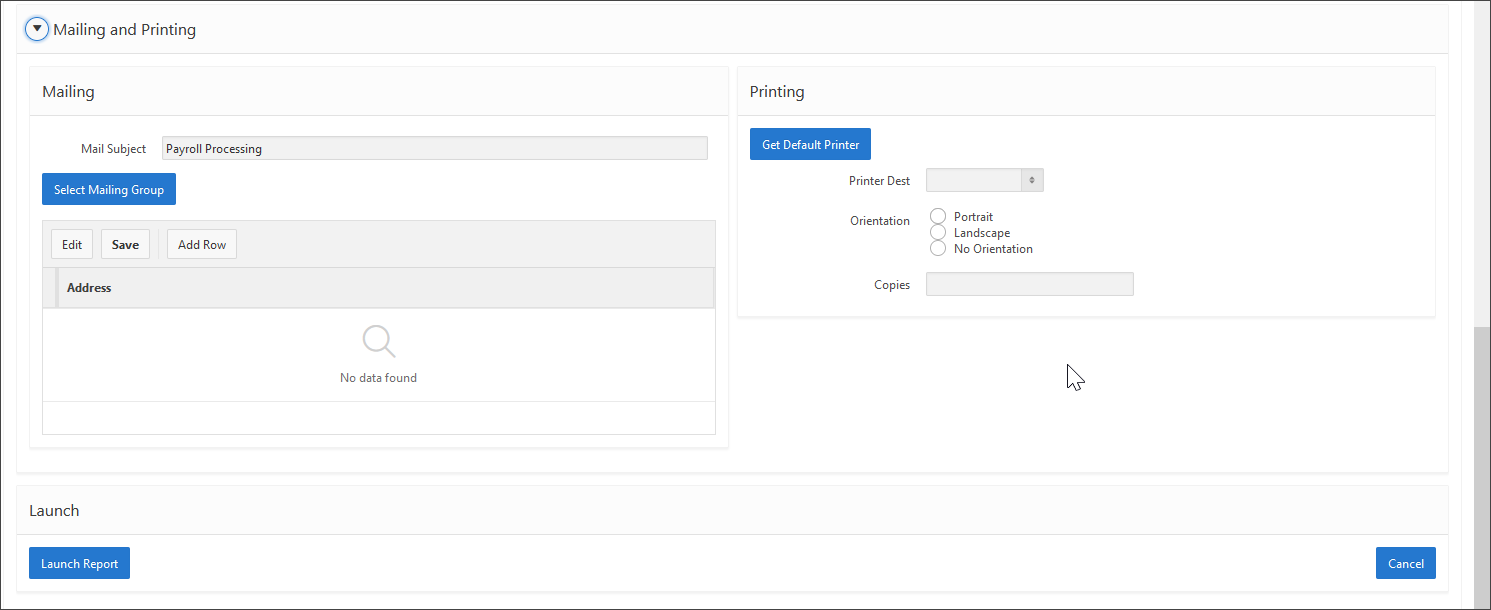
The mail subject can be changed as required. It defaults to the report or report chain name.
Use the Select Mailing Group button to select a pre-defined mailing group to email the output files to or enter the addresses manually by selecting the ‘Add Row’ button.
The ‘Get Default Printer’ button will get the default printer settings or other settings can be selected as required from the available fields.